The error message you get looks something like the following:
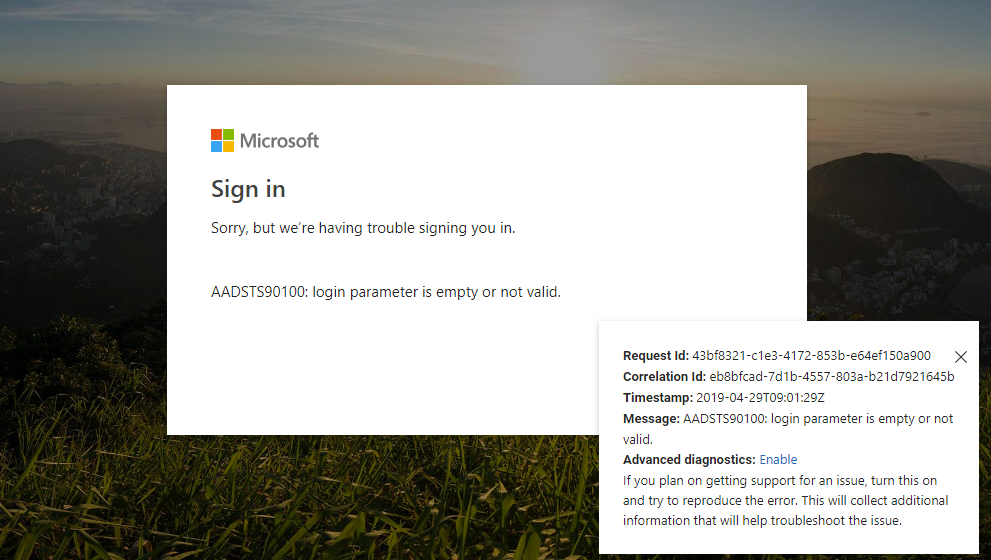
It may read: "AADSTS90100: login parameter is empty or not valid", "AADSTS165000: Invalid Request: The request tokens do not match the user context.", User account '*******' from identity provider '******/' does not exist in tenant 'Högskolan Dalarna' or "AADSTS90019: No tenant-identifying information found in either the request or implied by any provided credentials."
This problem can be solved in different ways:
Method 1
The first thing you can do is go to https://office.microsoft.com and see if you then get an opportunity to switch to your @du.se account.
Method 2
Try signing in with a different browser
Method 3
Try signing in to a private window. How to do this depends a bit on the browser you are using:
- Microsoft Edge: Browse InPrivate in Microsoft Edge
- Google Chrome: Browse in private - Computer - Google Chrome Help
- Firefox: Private Browsing - Use Firefox without saving history | Firefox Help (mozilla.org)
- Safari (Mac): Use Private Browsing in Safari on Mac - Apple Support
Method 4
Some browsers offer the option to separate your different accounts into different profiles in your browser. How to do this depends on the browser you are using: